C. Algebra · Algebra: Patterns, Rational Numbers, Equations, Inequalities, Coding and ModellingReading and Altering Data Code: Outcomes and Efficiency
C3.2 A1About 50 minutes
Learning goals- I can read code that analyses data and predict its output.
- I can alter the data, the conditions or the calculations in code to answer a new question.
- I can describe how a change affects the outcome and the efficiency of the code.
Words to know
outcome
What the code produces: its outputs and the decision it makes.
efficiency
How few steps and lines the code needs, and how easy it is to change and reuse.
alter
To change code on purpose, to fix it or make it do something new.
hard-coded
Written directly into the code in a way that only works for one situation, like dividing by 6 when there are exactly 6 values.
bug
A mistake in code that makes it give a wrong or unexpected outcome.
Remember from Grade 7 and the last lesson
In Grade 7 you read and altered code with counters and sub-programs, and described how each change affected the outcome and the efficiency. In the last lesson you wrote code that analyses data with lists and FOR EACH loops.
Today you'll read someone else's data code, predict what it does, and alter it to answer new questions. For every change, ask:
- How does the outcome change?
- How does the efficiency change?
Let's start with the eco-club
A school eco-club weighs the recycling it collects each week. Their goal: a mean of at least 13 kg per week. Last year's club left this code. Read it and predict the outputs before reading on.
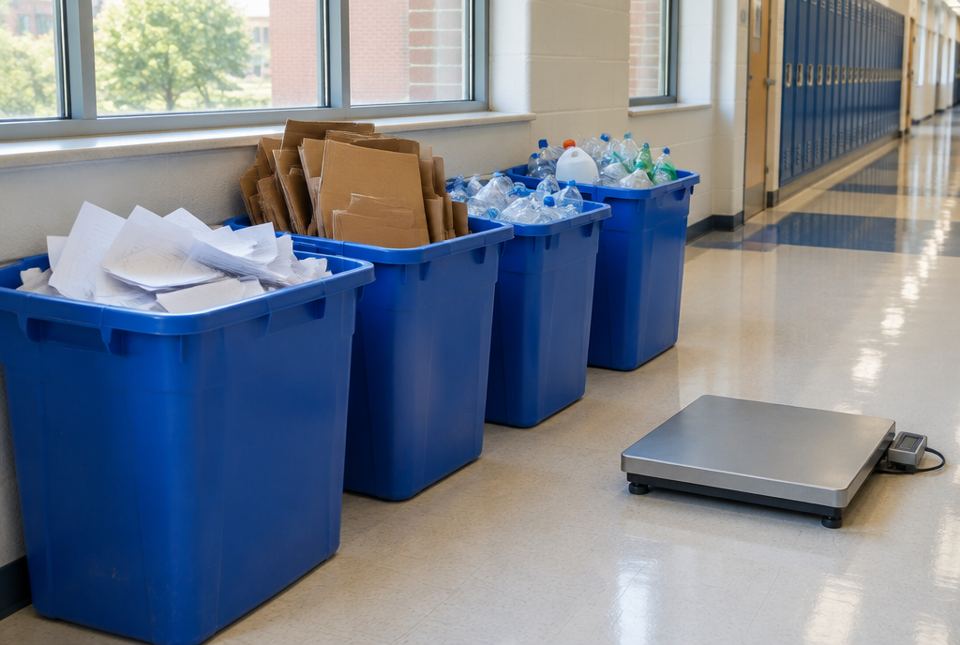 An eco-club can weigh its recycling on a scale each week. Each weekly mass becomes one value in the data list that the code reads. AI-generated image
SET recycling = [14.5, 12, 16.5, 11, 15, 9]
SET total = 0
SET count = 0
SET low = 0
FOR EACH kg IN recycling
ADD kg to total
ADD 1 to count
IF kg < 12 THEN
ADD 1 to low
SET mean = total ÷ count
SAY mean
SAY low
IF mean ≥ 13 THEN
SAY "Goal met"
ELSE
SAY "Keep trying"
Code B: the eco-club's code. It finds the mean, counts low weeks (under 12 kg), and makes a decision.
| kg | total | count | low |
|---|
| 14.5 | 14.5 | 1 | 0 |
| 12 | 26.5 | 2 | 0 |
| 16.5 | 43 | 3 | 0 |
| 11 | 54 | 4 | 1 |
| 15 | 69 | 5 | 1 |
| 9 | 78 | 6 | 2 |
Outputs: 13, then 2, then "Goal met" (13 ≥ 13 is true).
Notice that 12 is not counted as low, because 12 < 12 is false.
| Alteration | New outcome | Effect on efficiency |
|---|
| IF mean ≥ 13 → IF mean ≥ 14 | mean is still 13, but now says "Keep trying" | No change in lines or steps. |
| Add a 7th week, 6 kg, to the list | total 84, count 7, mean 12, low 3, "Keep trying" | Only the list changes. One more loop run. |
| IF kg < 12 → IF kg ≤ 12 | low becomes 3 (12, 11 and 9) | No change in lines or steps. |
| Find the mean in one loop and the low weeks in a second loop | Same outputs | Less efficient: the list is looped through twice (12 runs instead of 6). |
Hard-coded code is less flexible
Here is a different version, Code A, that does the same job for the mean:
SET w1 = 14.5
SET w2 = 12
SET w3 = 16.5
SET w4 = 11
SET w5 = 15
SET w6 = 9
SET mean = (w1 + w2 + w3 + w4 + w5 + w6) ÷ 6
SAY mean
Code A: hard-coded for exactly 6 weeks.
Code A works today. But to add week 7, you must add a line (SET w7 = 6), add w7 to the sum, and change ÷ 6 to ÷ 7. Forget any one of those and the mean is wrong. In Code B you only change the list: the loop and the counter adjust by themselves. Code B is more efficient to change and reuse, even though both give 13 today.
Predict, alter, trace
Before you run altered code, predict the new output. Then trace it with a tracking table. If your prediction was wrong, find out why. That's how you learn what each line really does.
Worked exampleExample 1: Alter a condition
Change Code B so that low counts weeks under 15 kg. What is the new value of low?
- Change the line IF kg < 12 THEN to IF kg < 15 THEN.
- Weeks under 15: 14.5, 12, 11, 9. (15 is not under 15.)
low = 4. The mean and the decision don't change.
Worked exampleExample 2: Alter the data
The club finds that week 4 was recorded wrong: it was 17 kg, not 11. Predict the new outputs.
- The total goes up by 6: 78 + 6 = 84.
- mean = 84 ÷ 6 = 14.
- low weeks: only 9 is under 12 now, so low = 1.
Outputs: 14, 1, "Goal met".
Worked exampleExample 3: Add a new feature
Alter Code B so it also says the best week's mass.
- Before the loop, add: SET best = first item of recycling.
- Inside the loop, add: IF kg > best THEN SET best = kg.
- After the loop, add: SAY best.
It also says 16.5. It adds 3 lines but still loops through the list only once, so it stays efficient.
Worked exampleExample 4: Find the bug
A student moved SET total = 0 inside the loop, just above ADD kg to total. What happens?
- Each time through the loop, total is reset to 0, then the current kg is added.
- After the last run, total = 9 (only the last week).
- mean = 9 ÷ 6 = 1.5, so the code says "Keep trying".
The outcome is wrong (mean 1.5). Starting values must be set once, before the loop.
Hands-on activityCode detective
You need: pencil, paper, and Code B (copy it out).
- Collect your own household data for 5 to 7 days. Ideas: kilograms or bags of garbage, litres of milk used, minutes of screen time.
- Alter Code B for your data: change the list, the goal and the "low" condition. Rename the variables so they make sense (for example, minutes instead of kg).
- Predict the outputs, then trace the code with a tracking table.
- Make two more alterations of your own. For each, write down the new outcome and whether the code became more or less efficient.
- Tell someone at home what decision your code supports and why.
What to look for: only the list, the goal and the condition needed to change; the loop works for any number of days; each alteration is predicted before tracing.
Just for fun: a real bugIn 1947, people working on the Harvard Mark II computer found a real moth stuck inside it. They taped it into their logbook with the note "First actual case of bug being found." The word "bug" for a problem is older than that, but this moth made it famous.
Your turn
1What does this code say? SET count = 0 / FOR EACH x IN [5, −2, 8, −6, 0] / IF x > 0 THEN / ADD 1 to count / SAY count
2. Only 5 and 8 are greater than 0.
2Alter that code to IF x ≥ 0. What does it say now?
3Predict Code B's outputs if the list is [14, 12, 13].
13, 0, "Goal met". total 39, count 3, mean 13. No value is under 12.
4In Code B, change IF mean ≥ 13 to IF mean > 13. With the original data, what is the decision?
"Keep trying". The mean is exactly 13, and 13 > 13 is false.
5List the changes Code A needs to include a 7th week. How many changes does Code B need?
Code A: 3 changes (add SET w7 = ..., add + w7 to the sum, change ÷ 6 to ÷ 7). Code B: 1 change (add the value to the list).
6A list has 50 values. How many loop runs does it take to find the mean and the highest value with two separate loops? With one combined loop?
100 runs with two loops; 50 runs with one loop. The combined loop is more efficient.
More practice: warm-up
1With the original data, what does Code B say for low?
2If you change SAY mean to SAY total in Code B, what is said instead of 13?
3What is count at the end of Code B with the original list?
4Which line would you change to make the goal 15 kg?
IF mean ≥ 13 THEN becomes IF mean ≥ 15 THEN.
5True or false: in Code B, adding more values to the list changes the outcome but you don't need to change any other line.
True. The loop and counter handle any number of values.
More practice: on your own
1Alter Code B to count the weeks with more than 15 kg. Which lines change, and what is the result?
Change IF kg < 12 THEN to IF kg > 15 THEN (and maybe rename low to high). The result is 1 (only 16.5).
2The club wants the mean of just the last 3 weeks. Alter the data and give the outcome.
Use SET recycling = [11, 15, 9]. total 35, count 3, mean = 35 ÷ 3 ≈ 11.67, low = 2, "Keep trying".
3A student's code to find the best week starts with SET best = 0. Why does it work for recycling data but not for winter temperature data?
Recycling masses are all positive, so some value will beat 0. If every temperature is below 0, no value is greater than 0 and the code wrongly says 0. Starting with the first item works for both.
4Every value in the list goes up by 2 kg. Predict the new mean, low and decision.
Mean 15, low 1, "Goal met". The new list is [16.5, 14, 18.5, 13, 17, 11]: the total goes up by 12, so the mean goes up by 2. Only 11 is under 12.
5Code B finds the mean and the low count in one loop. Explain why that is more efficient than two loops.
The list is read once instead of twice: 6 loop runs instead of 12. With a long list (say 52 weeks), the saving is bigger: 52 runs instead of 104.
Challenge
1Alter Code B so it also says which week number had the lowest mass. Give the output for the original data.
Model answer: before the loop add SET lowest = first item of recycling and SET lowWeek = 1. Inside the loop (after ADD 1 to count) add: IF kg < lowest THEN / SET lowest = kg / SET lowWeek = count. After the loop add SAY lowWeek. Output: week 6 (9 kg).
2Last year's data was [12, 13.5, 10, 14, 12.5, 11]. Use a MEAN sub-program to compare the two years. Which year was better, and by how much?
This year was better by about 0.83 kg per week. MEAN(last year) = 73 ÷ 6 ≈ 12.17. MEAN(this year) = 13. 13 − 12.17 ≈ 0.83.
3A student "improves" Code B by deleting the count lines and writing SET mean = total ÷ 6. Is the outcome the same today? Is the code better or worse? Explain.
Same outcome today (13), but worse code. It is hard-coded: if the list grows or shrinks, ÷ 6 gives a wrong mean unless someone remembers to change it. It saves one line but loses flexibility.
Quiz
1. With the original data, what is Code B's decision?
2. If IF kg < 12 is changed to IF kg ≤ 12, the value of low becomes...
3. Why is Code B easier to update than Code A?
4. A list has 30 values. One loop finds both the total and the highest value. How many loop runs is that?
5. A student puts SET total = 0 inside the loop. What happens?
6. Week 4 changes from 11 kg to 17 kg. What is the new mean?
Big idea: C3.2 asks Grade 8 students to read and alter existing code involving the analysis of data in order to inform and communicate decisions, and to describe how changes affect the outcomes and the efficiency of the code.
Common difficulties:
- Not predicting before tracing. Prediction is where the learning happens.
- Boundary conditions: < versus ≤, and > versus ≥, change counts and decisions when a value lands exactly on the line.
- Thinking shorter always means more efficient. Hard-coded code can be shorter but harder to update correctly.
- Starting values in the wrong place (inside the loop).
How to help: Use real family data in the "Code detective" activity, and ask "If we change this one line, what will happen?" before tracing. This lesson builds A1 skills: critical thinking and communicating decisions clearly.